
Back to all features
Marketplace Features

Vendor Admin (WebView)

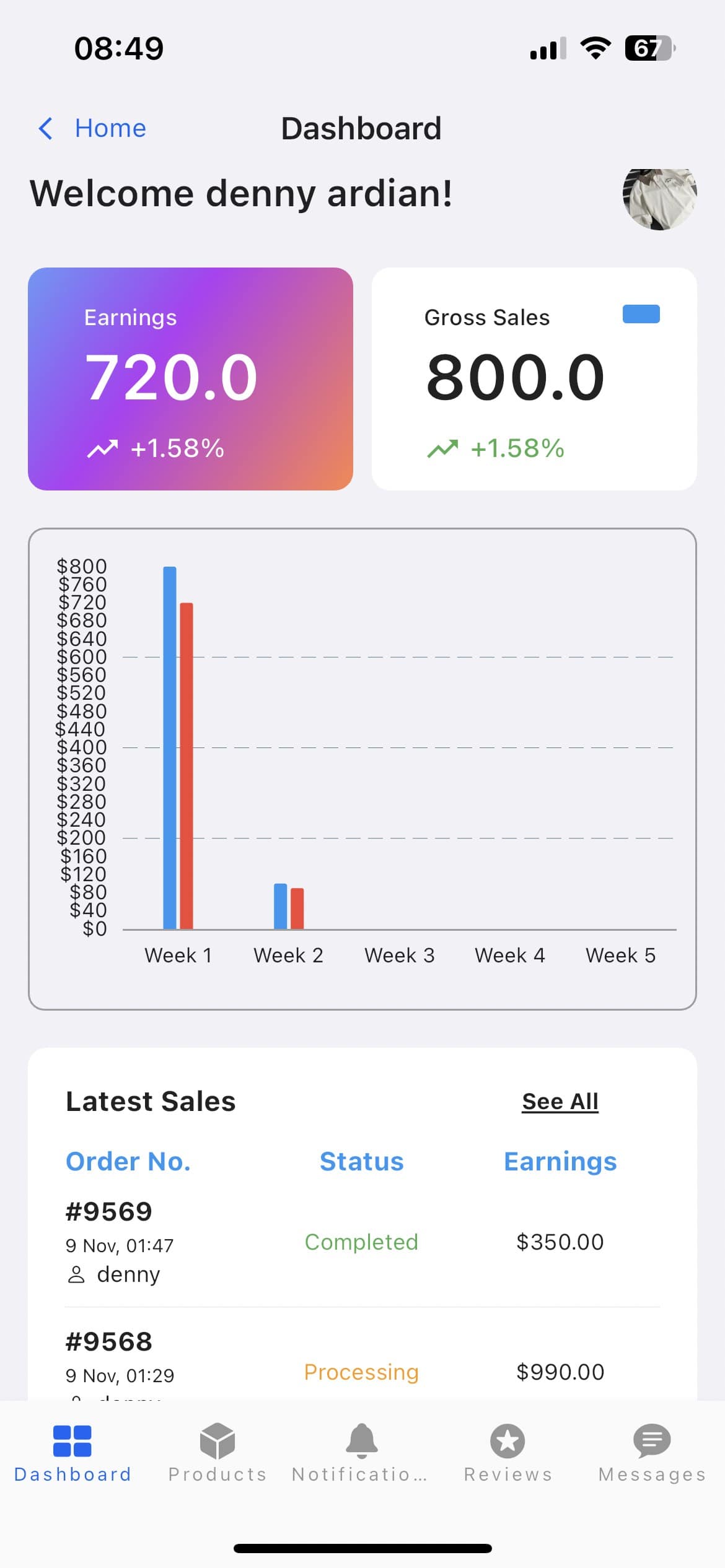
Provide vendors with a dedicated admin interface to manage their store, products, orders, and analytics directly from the mobile app.
MarketplaceE-commerceDeliveryServicesBusiness
Vendor Admin (WebView) screenshot

Key benefits

Let users vendors to manage their store on-the-go from mobile devices

Give a complete admin experience usingout building separate mobile interfaces

Ensure vendors have access to all web dashboard features

Cut development time by leveraging existing web admin interfaces

Keep feature parity between web and mobile vendor experiences

How it works in FluxBuilder

A practical setup flow for turning this capability into a production-ready app experience.

1

Add the capability

Open your FluxBuilder project and enable Vendor Admin (WebView) from the relevant app feature or integration area.

2

Configure the experience

Adjust content, platform connections, permissions, and visual settings so the feature matches your app workflow.

3

Preview, test, and publish

Use live preview to test the mobile flow, then publish your update when the app experience is ready.

Feature FAQ

Questions before you enable it?

Short answers for teams evaluating Vendor Admin (WebView) inside a FluxBuilder app.

Yes. FluxBuilder lets you configure Vendor Admin (WebView) visually from the builder, so most teams can launch without writing custom code.
Ready to build

Turn Vendor Admin (WebView) into a native mobile app flow today.

Download FluxBuilder, connect your website, and configure app features visually before publishing to iOS and Android.