Back to all features
Payment Features

WOOCS Currency Switcher

Implement advanced currency switching with WooCommerce Currency Switcher integration, geo-based detection, and custom exchange rates.

E-commerceBusinessTravelRetailMarketplace
WOOCS Currency Switcher screenshot

Key benefits

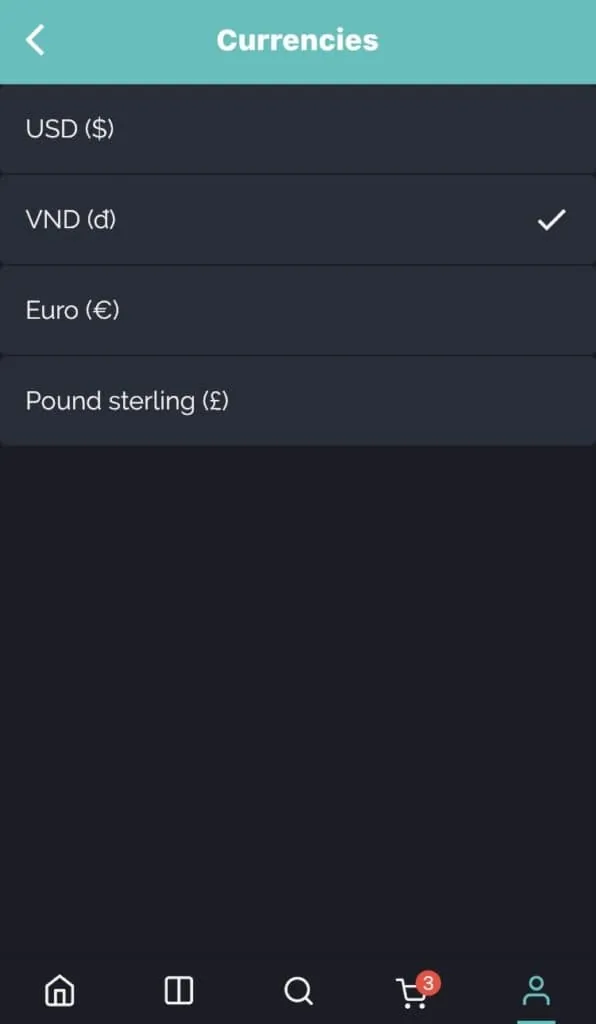
Give customers the ability to shop in their preferred currency

Add geo-based automatic currency detection

Set custom exchange rates different from market rates

Define currency-specific payment method availability

Keep consistent pricing across web and mobile platforms
How it works in FluxBuilder

A practical setup flow for turning this capability into a production-ready app experience.

1

Add the capability

Open your FluxBuilder project and enable WOOCS Currency Switcher from the relevant app feature or integration area.

2

Configure the experience

Adjust content, platform connections, permissions, and visual settings so the feature matches your app workflow.

3

Preview, test, and publish

Use live preview to test the mobile flow, then publish your update when the app experience is ready.

Feature FAQ

Questions before you enable it?

Short answers for teams evaluating WOOCS Currency Switcher inside a FluxBuilder app.

Yes. FluxBuilder lets you configure WOOCS Currency Switcher visually from the builder, so most teams can launch without writing custom code.
Ready to build

Turn WOOCS Currency Switcher into a native mobile app flow today.

Download FluxBuilder, connect your website, and configure app features visually before publishing to iOS and Android.