Back to all features
Core FeaturesNewHot

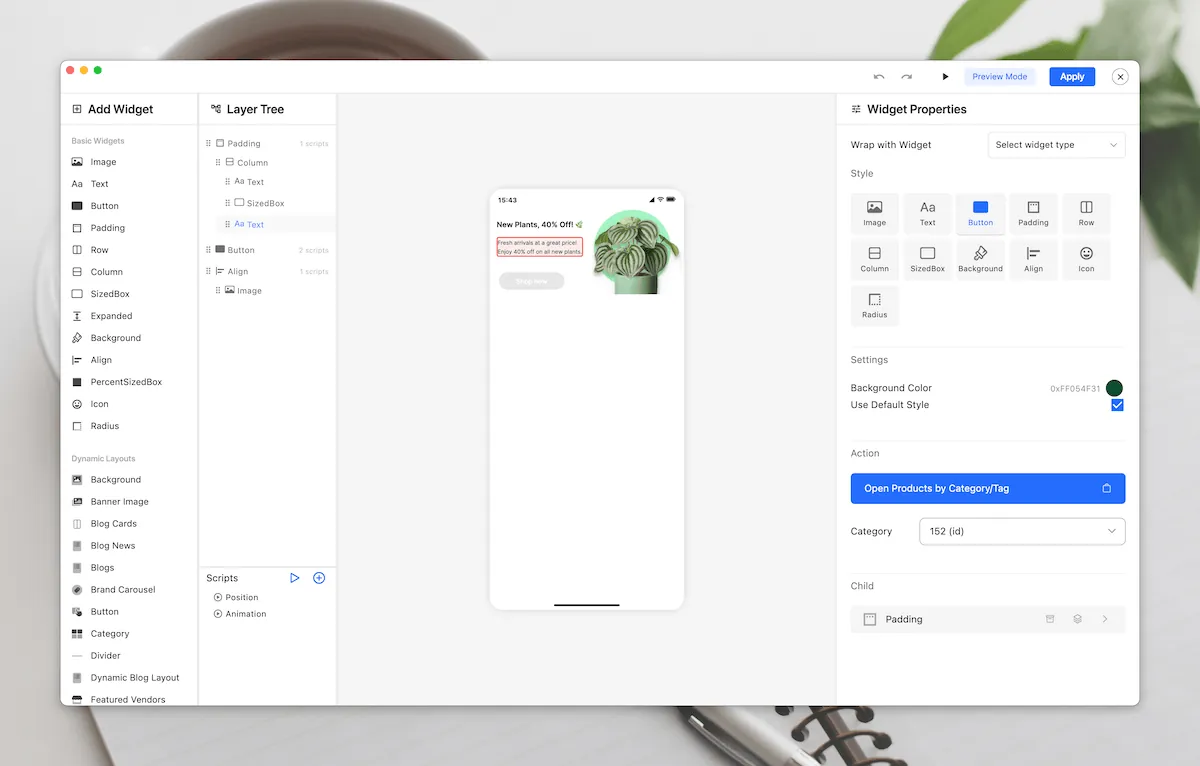
Banner Slider & Carousel Layouts

Create stunning, interactive banner sliders and carousel layouts with advanced animation effects, multiple layout options, and full customization capabilities.

E-commerceContentMediaMarketingBusiness

Key benefits

Showcase products and promotions with eye-catching animated banners

Choose from multiple pre-designed slider and carousel layouts

Customize transitions, animations, and interactive effects

Support for both image and video content in sliders

Create responsive layouts that work perfectly on all devices
How it works in FluxBuilder

A practical setup flow for turning this capability into a production-ready app experience.

1

Add the capability

Open your FluxBuilder project and enable Banner Slider & Carousel Layouts from the relevant app feature or integration area.

2

Configure the experience

Adjust content, platform connections, permissions, and visual settings so the feature matches your app workflow.

3

Preview, test, and publish

Use live preview to test the mobile flow, then publish your update when the app experience is ready.

Feature FAQ

Questions before you enable it?

Short answers for teams evaluating Banner Slider & Carousel Layouts inside a FluxBuilder app.

Yes. FluxBuilder lets you configure Banner Slider & Carousel Layouts visually from the builder, so most teams can launch without writing custom code.
Ready to build

Turn Banner Slider & Carousel Layouts into a native mobile app flow today.

Download FluxBuilder, connect your website, and configure app features visually before publishing to iOS and Android.