Announcing FluxBuilder 3.0: Design Your Store App with AI
FluxBuilder 3.0 is a no-code AI app builder for WooCommerce and Shopify stores: 88 AI blocks with your real products, 25 templates, a Product Detail designer.

FluxBuilder 3.0 lets WooCommerce and Shopify store owners design their mobile app with AI, using their own products from the first preview. Agencies get a fully white-labeled builder for client apps.
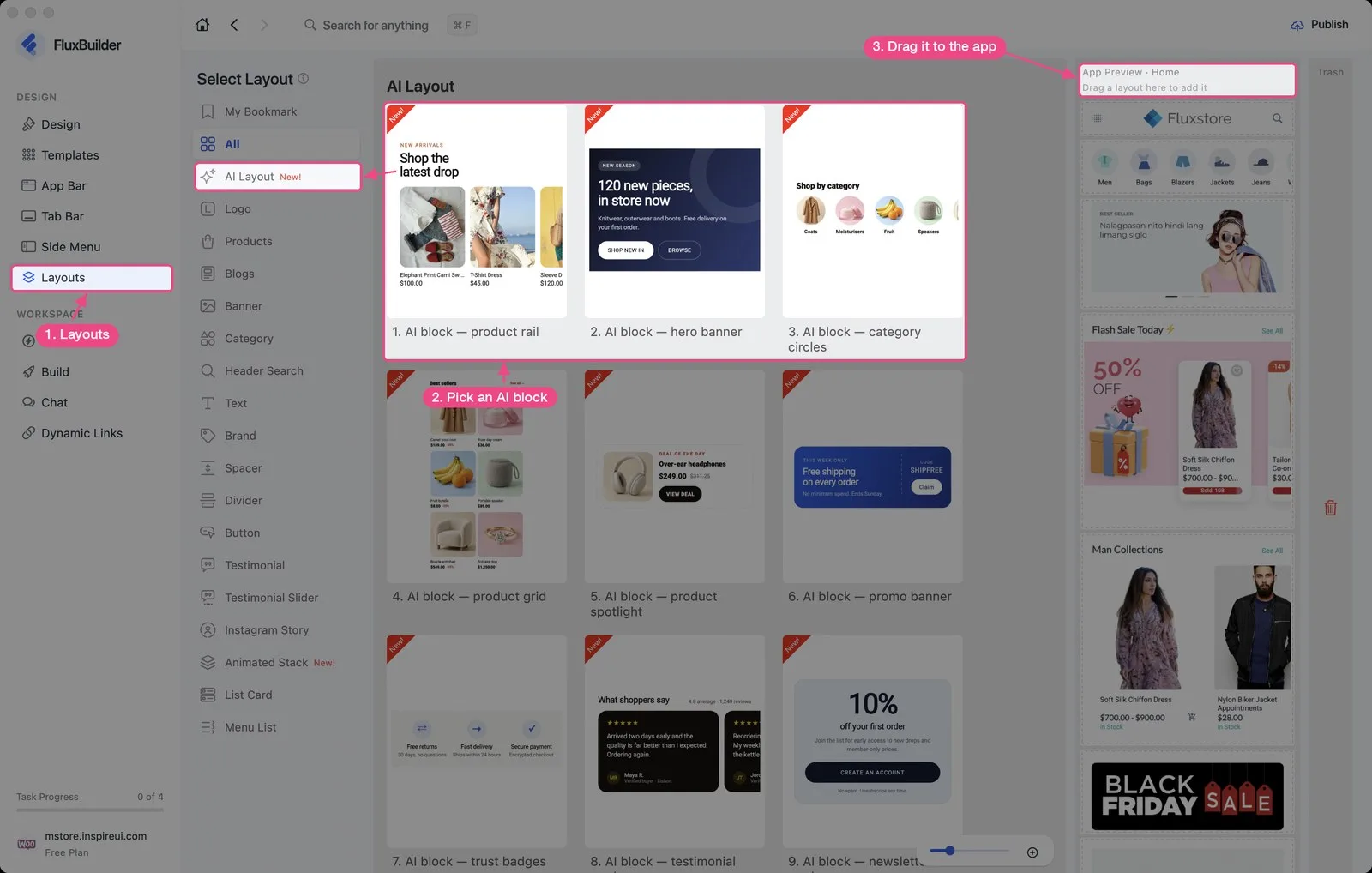
AI Layout blocks built from your store
88 AI blocks show your real products, categories and colors, so the preview looks like the app your customers will get. Click a headline, image or button to edit only that element, and set the category, item limit or countdown end time for a sale.
Open Layouts › AI Layout and drag a block into the preview.
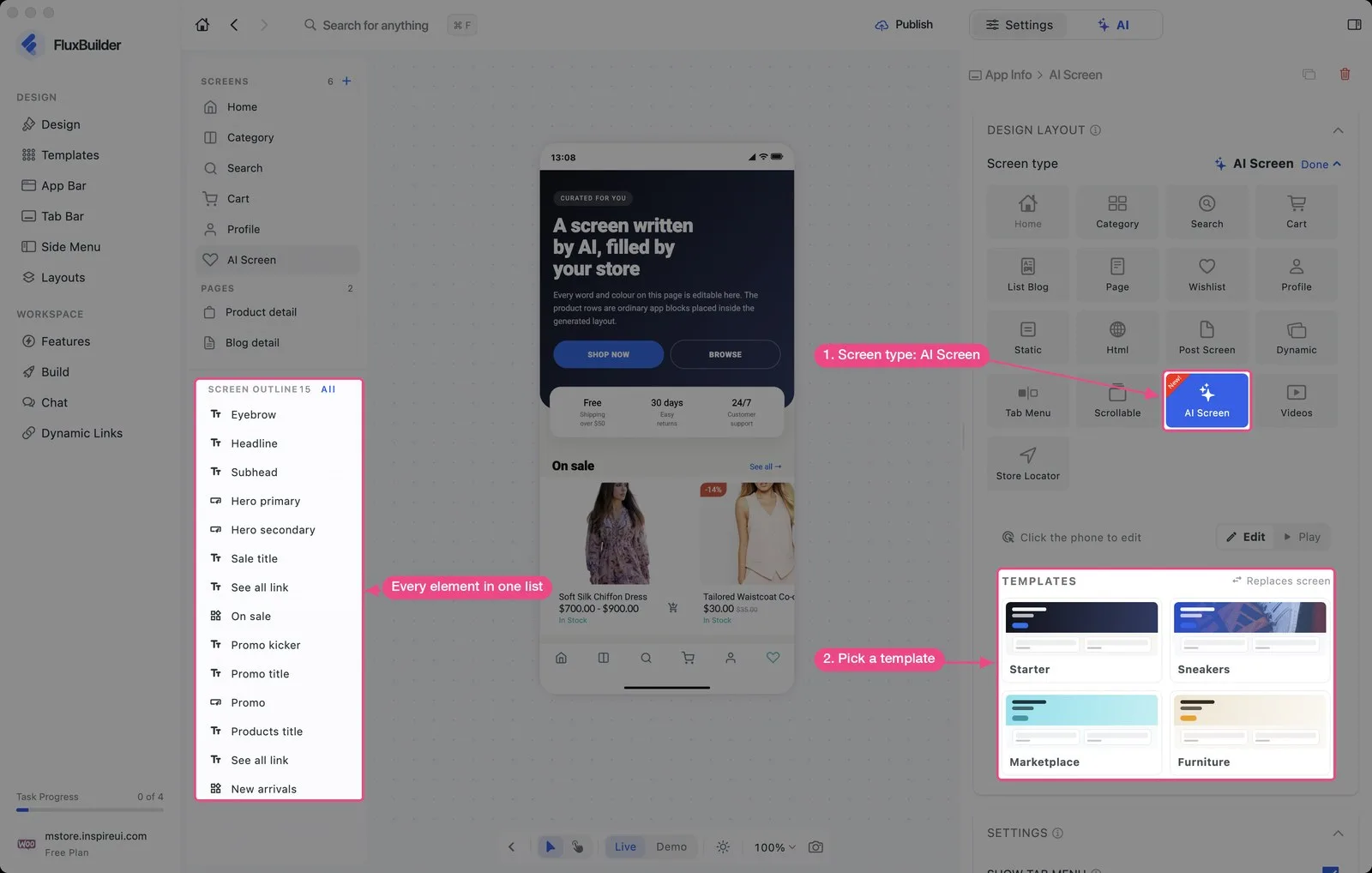
AI Screen: new screens from a template
Add a screen from the Starter, Sneakers, Marketplace or Furniture template instead of a blank page. Click anything on the phone to change its text, colors and style.
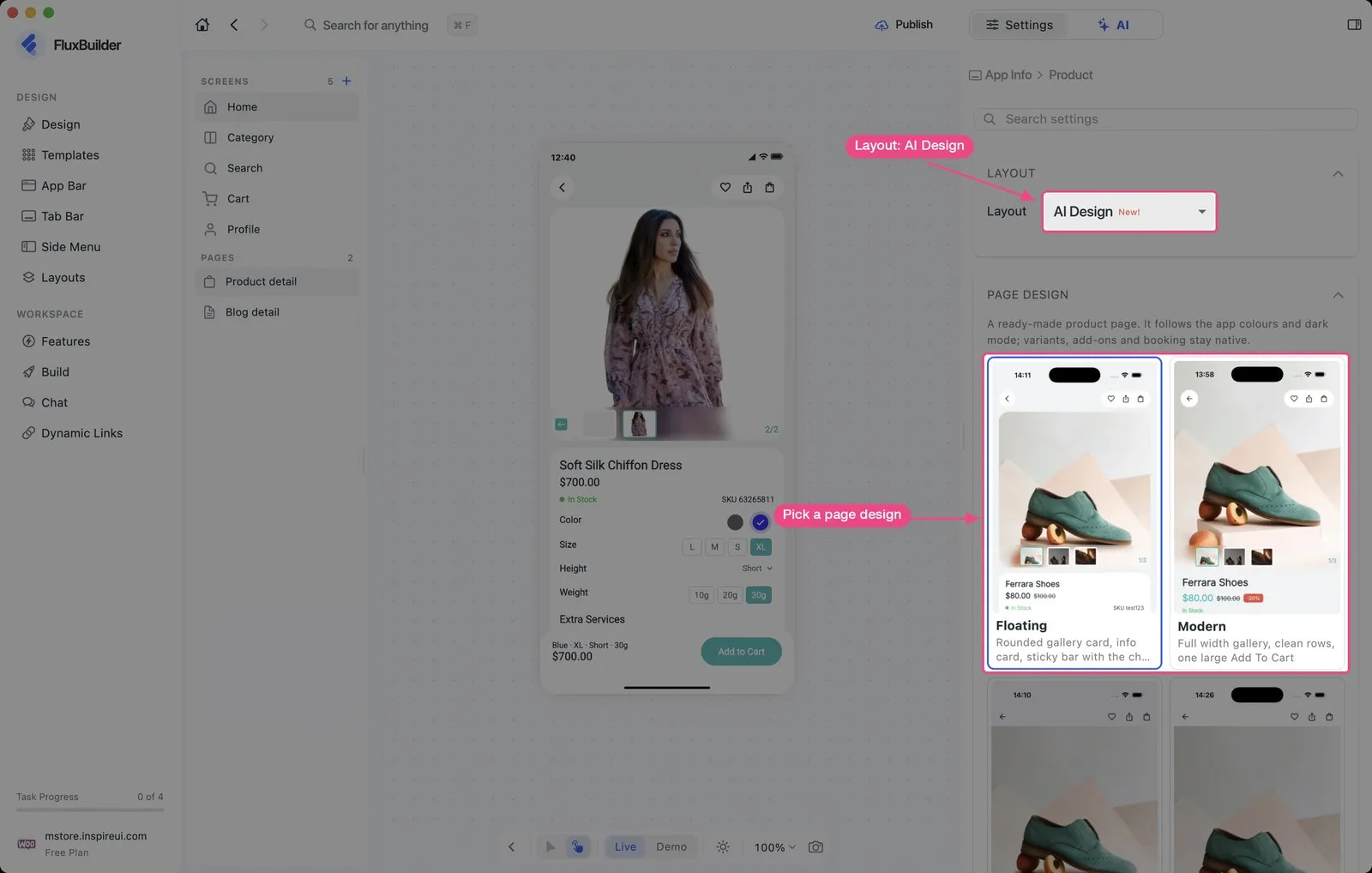
Product Detail designer for e-commerce apps
Shoppers decide on the product page, and now you control how it looks. Pick one of 5 designs (Floating, Modern, Minimal, Editorial, Market) or customize one with AI, then reorder, hide and style each section and tune the Buy buttons. Works in every e-commerce app.
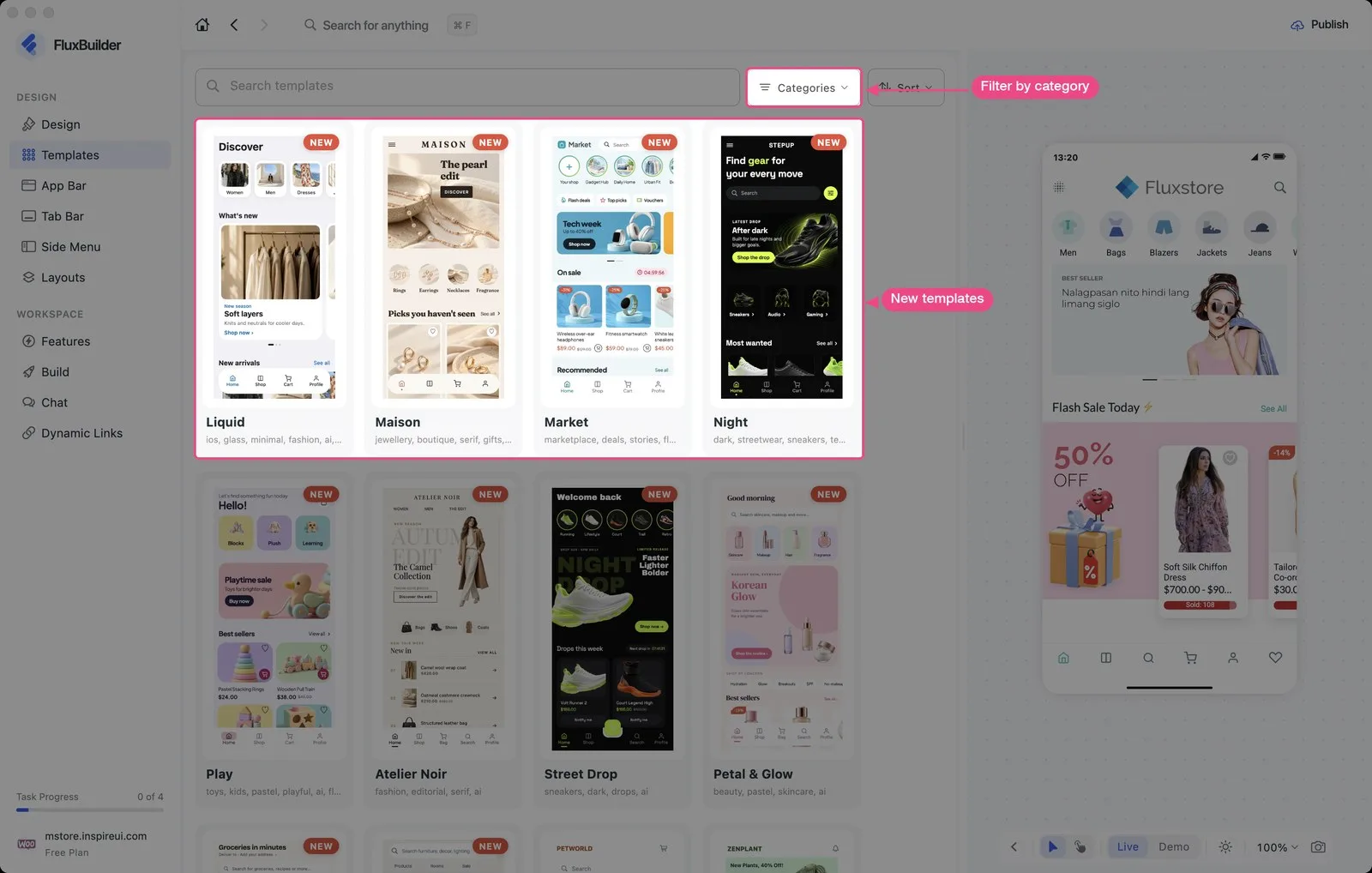
25 new app templates
Start from a design made for your business: Shopping, Finance, Food & Drink, Education, Music, Social, Sports, Fitness, Business and the new House & Home category. See how to create your app from a template.
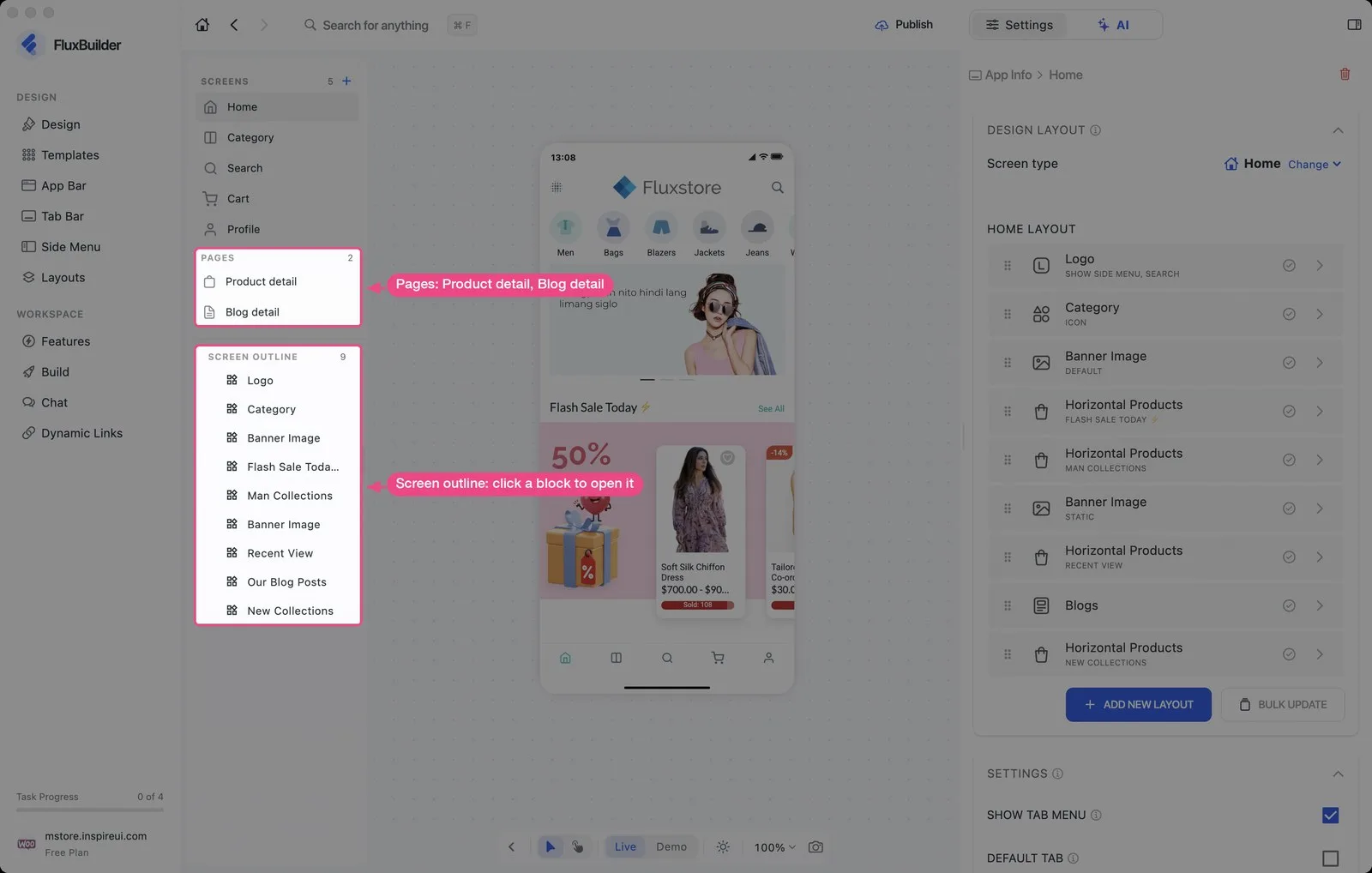
Edit, Play and Screen Outline
Test the app the way a shopper will before you publish it.
- Edit: click the phone to select a section and change its settings.
- Play: tap through the phone like the real app.
- Screen Outline: see every block on the screen in one list; open Product detail and Blog detail in one click.
Also new
- AI tab next to Settings, shared by Design and Features. Keep or undo every change. It builds on the AI Assistant from FluxBuilder 2.7.0.
- Create apps from one box on the Dashboard: paste your website or describe your idea. The first preview shows your real products.
- Agency white label: the builder is now fully white-labeled. See FluxBuilder for agencies.
- Layout Kit: about 60 new Animated Stack layouts.
- New settings for Blog, Sign In, Languages and the Tab Bar indicator.
- Faster: less memory on desktop, faster first load on the web.
- MCP: connect your AI tools with Remote MCP. The local MCP tool is removed.
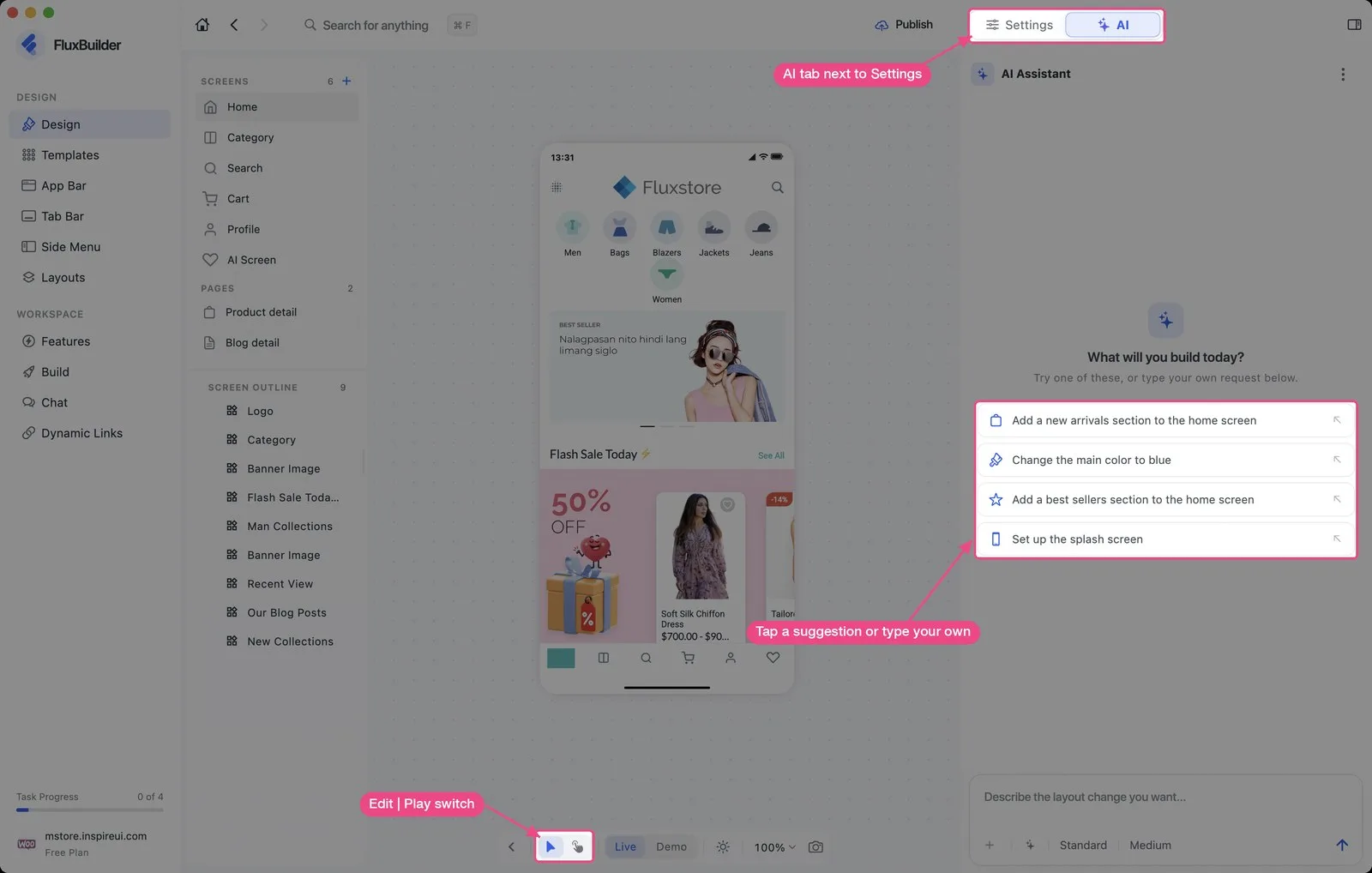
Build your store app with FluxBuilder 3.0
Download FluxBuilder for free or open the web version, then paste your store URL to see your app. Every change is in the FluxBuilder 3.0 changelog.
Black Friday, until November 30: 50% off the first payment on Basic and Professional plans. See pricing.