Top 5 PrestaShop Mobile App Builders in 2026
Compare five practical ways to turn a PrestaShop store into an iOS and Android app, including integration depth, design control, ownership, and support.

The short answer
The right PrestaShop mobile app builder depends on how much control you need after launch.
- FluxBuilder is the strongest fit for merchants and agencies that want visual control, reusable templates, and room for deeper customization.
- KnowBand is a practical module-led option for store owners who prefer a packaged setup.
- Webkul Mobikul suits teams that value source-code access and extensive commerce features.
- JMango360 is a managed SaaS option for brands that want help launching and growing the app.
- Appy Pie is the simplest general-purpose option, but you should validate the exact PrestaShop data flow before committing.
There is no universal winner. Start with your required checkout, payment, shipping, language, and ownership model, then test the shortlist with your real catalog.

Quick comparison
| Builder | Best for | PrestaShop approach | Main trade-off |
|---|---|---|---|
| FluxBuilder | Brands and agencies that need design control | Direct PrestaShop integration with a visual Flutter app builder | More options require a clearer launch plan |
| KnowBand | Merchants wanting a packaged module | PrestaShop module plus Android and iOS apps | Custom work outside the package may cost extra |
| Webkul Mobikul | Technical teams and complex stores | PrestaShop module with optional source code | Setup and customization can be more technical |
| JMango360 | Teams wanting a managed service | SaaS platform with a PrestaShop connector | Less suitable for teams wanting full code ownership |
| Appy Pie | Simple app experiments | General no-code ecommerce builder | Confirm native PrestaShop sync and checkout requirements |
What to check before choosing
A polished demo is useful, but it does not prove that the builder fits your store. Test these five areas first:
- Catalog sync: products, variants, stock, prices, categories, and customer groups.
- Checkout compatibility: payment modules, shipping rules, taxes, vouchers, and guest checkout.
- Design control: navigation, home layout, product pages, fonts, colors, and campaign updates.
- App ownership: developer accounts, source code, build files, subscriptions, and exit terms.
- Operations: push notifications, analytics, store releases, maintenance, and support response time.
Use a staging store with realistic products and at least one complete order flow. A builder that imports a catalog but fails at a regional payment or shipping rule is not launch-ready.
1. FluxBuilder
FluxBuilder’s PrestaShop integration connects products, categories, inventory, customer accounts, and checkout to a mobile shopping experience.
Its main advantage is the visual building workflow. Teams can compose screens, adjust layouts, preview changes, and reuse a design system without treating every content update as a new development project. Because the output is based on Flutter, the same project can target iOS and Android while still allowing deeper engineering work when a store needs it.
Choose FluxBuilder when:
- Brand presentation matters as much as basic store conversion.
- Your team wants to update layouts without editing app code.
- You manage more than one store or build apps for clients.
- You expect to add custom features after the first release.
Check before launch: confirm every custom PrestaShop module used in checkout, account management, or product configuration.
2. KnowBand
KnowBand’s PrestaShop Mobile App Builder uses a PrestaShop module and offers Android and iOS applications. Its official feature set includes real-time synchronization, customizable home layouts, multiple languages, RTL support, push notifications, and common login options.
The packaged model makes it approachable for merchants who want a defined scope and a vendor-supported setup. It can be a sensible route when the store is close to standard PrestaShop behavior.
Choose KnowBand when:
- You prefer a module-led installation.
- Your requirements fit the documented feature set.
- You want a demo that can connect to your own store before purchase.
Check before launch: ask which changes count as custom work, how long updates are included, and whether your payment and marketplace modules are supported.
3. Webkul Mobikul
Webkul Mobikul for PrestaShop supports Android and iOS, real-time product and order synchronization, multiple languages, RTL layouts, push notifications, and a broad range of payment and shipping methods. Source code is available as a paid option.
That ownership option makes Mobikul relevant to teams with in-house developers or a long-term implementation partner. It also offers features aimed at more complex commerce setups, but the larger scope deserves a careful technical review.
Choose Webkul Mobikul when:
- Source-code access is part of your procurement checklist.
- Your store needs extensive commerce functionality.
- A technical team can own integration and maintenance decisions.
Check before launch: separate what is included by default from paid integrations, source-code licensing, and custom development.
4. JMango360
JMango360 provides a managed mobile-commerce platform with a PrestaShop integration. Its offering covers native or React Native apps and Progressive Web Apps, with support extending into launch and app marketing.
This is a different buying model from a self-managed builder. The value is less about owning a large visual toolkit and more about having a partner guide delivery and ongoing mobile operations.
Choose JMango360 when:
- You want a managed launch rather than a do-it-yourself build.
- B2C or B2B mobile commerce support is important.
- Your team values ongoing mobile growth services.
Check before launch: clarify the subscription, roadmap process, data portability, and what happens if you later move to another platform.
5. Appy Pie
Appy Pie’s ecommerce app builder is a general no-code platform for creating shopping apps with catalogs, carts, payments, order tracking, and push notifications.
It is the easiest option in this list to approach as a general app experiment. However, it is not presented as a PrestaShop-specific integration in the same way as the first four products. Treat it as a candidate only after confirming how products, customers, inventory, checkout, and orders stay synchronized with your PrestaShop store.
Choose Appy Pie when:
- You need a quick prototype or a simple commerce app.
- Ease of use matters more than deep platform-specific control.
- Your catalog and checkout requirements are straightforward.
Check before launch: request a working proof of the complete PrestaShop order flow, not only a website-to-app preview.
Our recommendation
For most established PrestaShop stores, start with the three products that provide a clearly documented PrestaShop-specific path: FluxBuilder, KnowBand, and Webkul Mobikul.
Choose FluxBuilder for visual flexibility and a customizable Flutter foundation. Choose KnowBand for a packaged module experience. Choose Webkul Mobikul when source-code access and technical extensibility are priorities. Add JMango360 to the shortlist if you want a managed service rather than a builder your team operates.
Whichever option you prefer, run the same acceptance test:
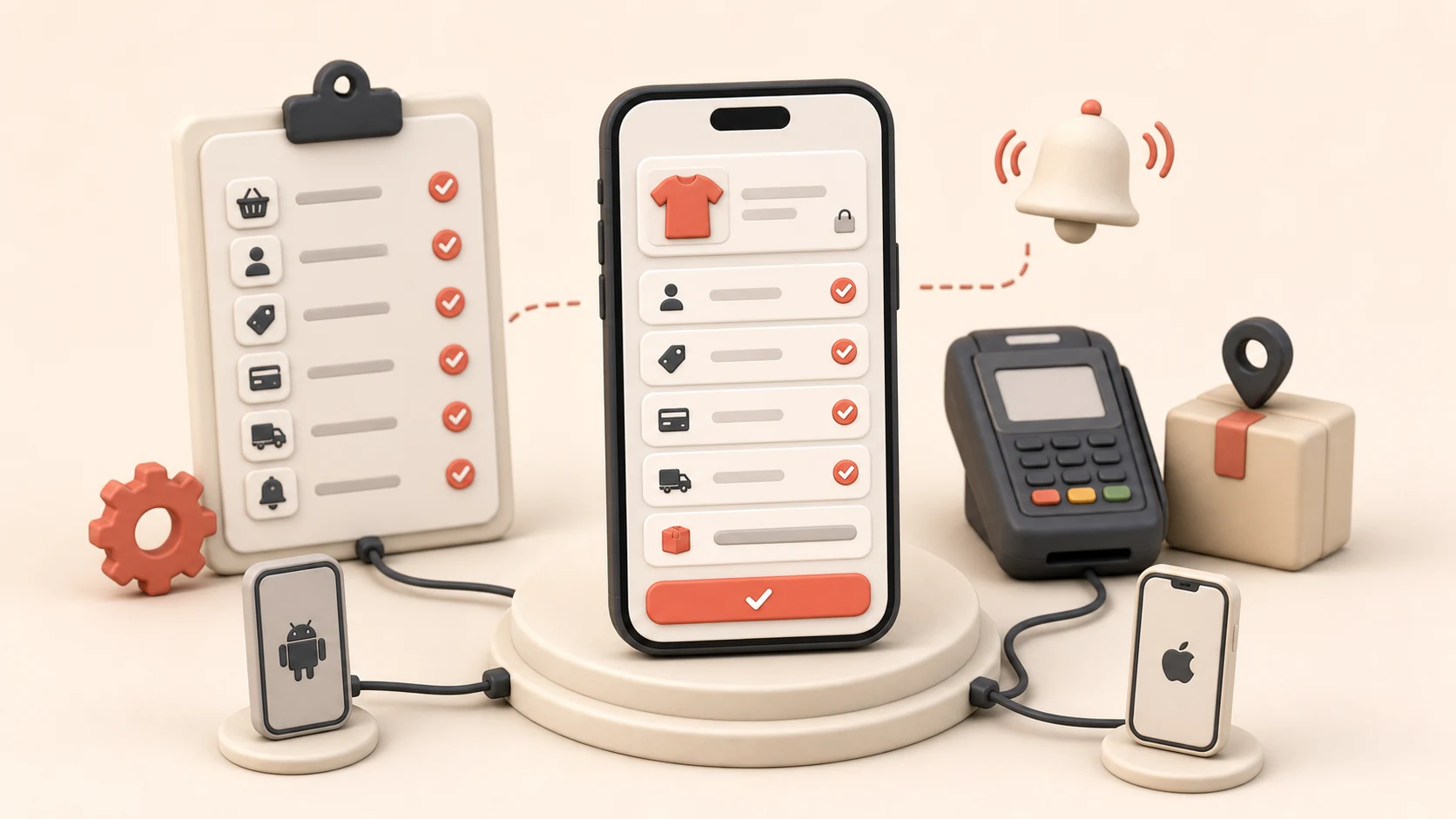
- Sync a representative catalog.
- Sign in with a real customer account.
- Apply a voucher.
- Complete payment and shipping selection.
- Place, update, and track an order.
- Send a push notification.
- Review the app on both a small Android device and an iPhone.
The best builder is the one that passes your store’s real order flow with the least ongoing friction.